Ask with AI
Ask questions in plain language. AI maps the request to your assigned source and explains the result.
 dig data
FREE SELF-HOSTED AI ANALYTICS
Use AI to explore PostgreSQL, MySQL, MariaDB, or MongoDB data in plain language, build dashboards, and give your team a shared understanding of the numbers.
Free to install and use. Bring your own supported database and Anthropic or OpenAI API key.
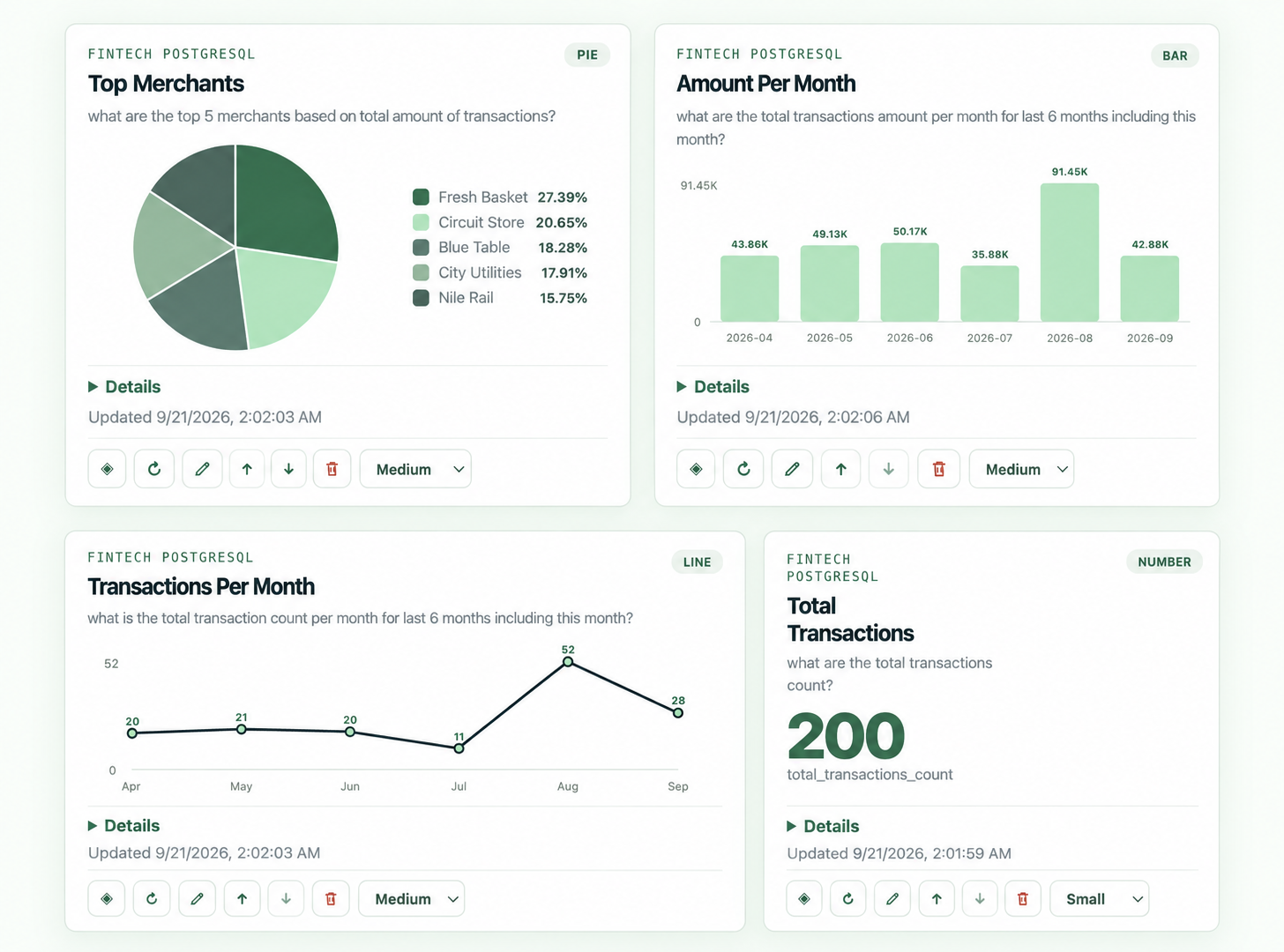
AI answers for teams that need numbers they can explain.
AI FOR THE NUMBERS
dig data uses AI to understand your question, inspect the assigned database schema, and return a useful answer. Keep the result on a dashboard and agree on what important terms mean.
Ask questions in plain language. AI maps the request to your assigned source and explains the result.
Turn repeatable AI-assisted questions into focused cards your team can revisit and share.
Keep business language in one dictionary, so AI answers use the meanings your team agrees on.
A SMALL, USEFUL AI WORKSPACE
AI helps people reach the right data without asking everyone to learn SQL. The answer includes its result and the business definition used.
Read the documentation →The answer includes the result table and the business definition used for “completed”.
View result detailsFREE BETA · v0.1.0-beta.12
Use the pinned public image on Linux amd64 or arm64. dig data runs on your infrastructure and uses the Anthropic or OpenAI API key your administrator provides.
Docker Hub serves the image. Installation does not require an email address.
docker volume create dig-data
docker run -d --name dig --restart unless-stopped -p 127.0.0.1:8080:8080 -v dig-data:/data --add-host=host.docker.internal:host-gateway hesham099/dig-data:v0.1.0-beta.12services:
dig:
image: hesham099/dig-data:v0.1.0-beta.12
restart: unless-stopped
ports: ["127.0.0.1:8080:8080"]
environment:
DIG_PUBLIC_URL: "${DIG_PUBLIC_URL:-}"
volumes: ["dig-data:/data"]
extra_hosts: ["host.docker.internal:host-gateway"]
volumes:
dig-data:Requires Docker Engine or Docker Desktop. AI usage and hosting costs are separate.
dig data keeps accounts, dashboards, grants, and audit records on your server. For a source question, the relevant schema and bounded query results may be sent to Anthropic through the API key your administrator provides.